This blog post talks about basics on how to setup your environment.
Introduction
To get started with your Cyber journey, I recommend having a these basic environments.
Virtual Machine (VMware/Virtual Box)
You’ll need some sort of Virtual Machine (VMware/Virtual Box) to create isolated virtual environments for safely practicing cybersecurity techniques without risking your main system. More often than not, you’ll be downloading malicious software e.g. MimiKatz that your Anti virus software on your main computer will flag as malware. Its better to not risk getting your main host infected. However, just a disclaimer, using a Virtual Machine doesnt mean you’ll 100% safe from infection. Theres always a possiblity that malware may escape from your VM via vulnerabilities or misconfigurations.
Download VMware at VMware official portal. 🔗
It used to be alot easier to download these, but Broadcom bought over VMware and made the process slightly more tedious. Create an account with Broadcom and you’ll be redirected to their dashboard. Following the “Free Versions” link, you’ll see this page.
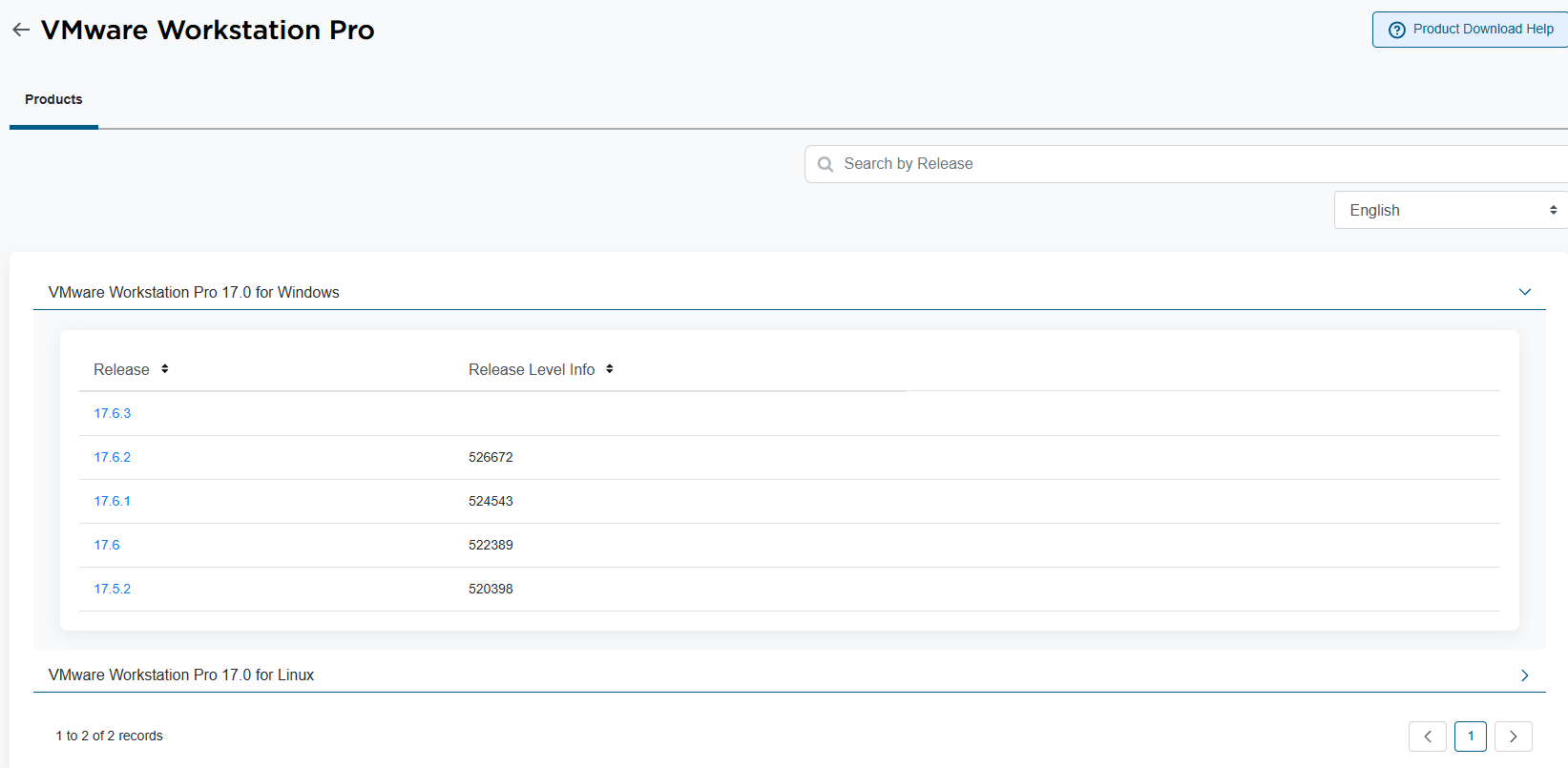
Download any version and proceed to install VMware. If you get a popup to key in license keys, just google “vmware pro 17 keys” and look up GitHub for some keys.
Kali Linux
Kali Linux is a great starting point for cybersecurity because it comes pre-installed with hundreds of powerful tools and libraries for penetration testing, digital forensics, and ethical hacking, saving time on setup and ensuring a consistent, reliable environment for learning and practice. Its also constantly being updated with new tools.
Kali is maintained and funded by Offsensive Security, whom if you don’t know about, is the same company that offers training courses for PEN-200 (OSCP) and other well known certifications like OSEP, OSEE. Its also actively used in their courses. If you are planning to take OSCP of other Offsec courses down the road, I highly recommend Kali as its recommend for taking their exams.
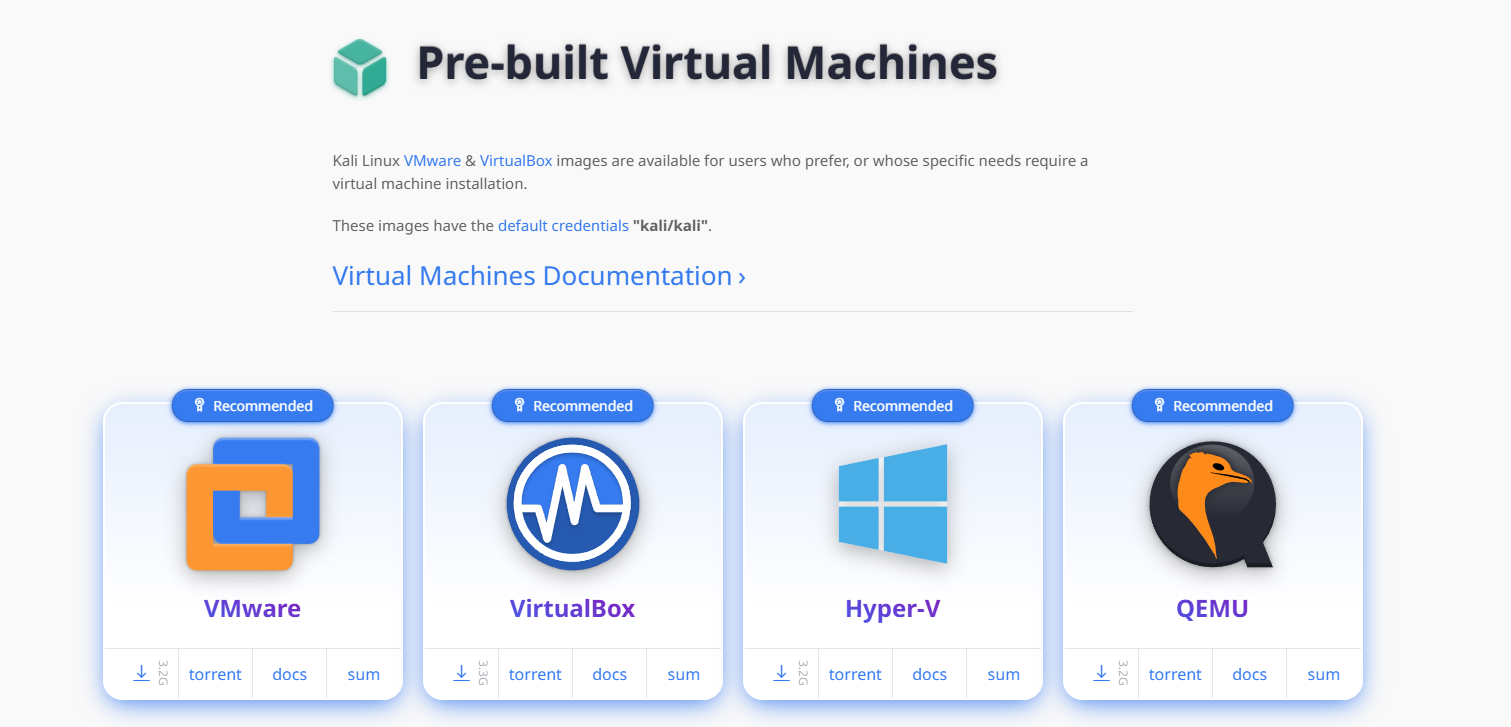
Downloading Kali is fairly simple, they have already provided prebuilt images for most VMs. Navigate to “Virtual Machines” here 🔗 and click on the VMware logo. It should initial a zip file download. Once thats done, extract the files and you should see a .vmx file. Open your VMware workstation and click on “Open a Virtual Machine”. Select the .vmx file and click through the installation prompt. With that, you’re good to go.
The default credentials to login are: Username: kali, Password: kali
Windows (10/11) Having a Windows OS is optional. I would recommend it if you’re into Reverse Engineering or Malware creation. The idea is to not use your host PC to do potentially dangerous stuff. Also, when playing with Excel/Word Macros, compiling Executables/DLLs, having a Windows OS is easier. To download Windows ISO, you’ll have to download their installation media tool here 🔗.
Follow the prompts and you’ll download a .iso file. Using VMware, select “Create a New Virtual Machine” and select that .iso file. You may encounter a problem that says An operating system was not found, press ctrl alt del to restart. Dont worry, heres a quick fix!
Follow these steps.
- Create a New Virtual Machine
- Select your Windows 10 ISO, Next
- Edit the name as desired, Next
- Accept default disk options, Next
- Uncheck “Power on this virtual machine after creation”, Finish
- Select Windows 10 x86 VM, Edit virtual machine settings
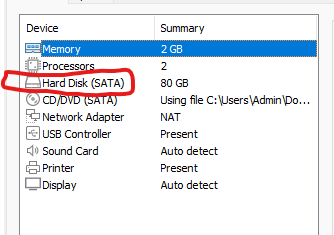
- Hard Disk (NVMe), Remove
- Add, Hard Disk, Next, SATA, Next
- Use an existing virtual disk, Next
- Select the existing VMDK, Finish, OK
- Play virtual machine and continue your build
Pro tip 1: If you’re prompted to sign-in with a windows account during installation, just go to VMware settings, under “Network Adaptor” and turn it to Host-Only. This will disable internet connection and you’ll be able to proceed with creating a local account.
Pro tip 2: Right click on your VM and press “Install VMware tools”. That will help with basic QOL features like copy pasting and drag drop. Navigate to D:// drive and run the Vmware tools installer.
The End!
I’ll probably create another post to talk about that tools or what binaries you’ll need, e.g. Visual studio, ghidra, Ida free, etc…
Happy Hacking! :)